Staging Is a Dress Rehearsal, Not the Show: Five WordPress Deploy Gaps
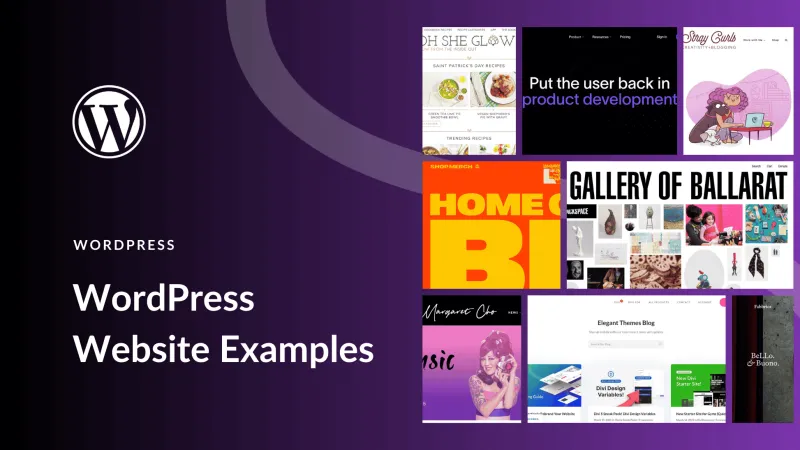
Photo: WordPress staging production server deployment checklist developer, via www.elegantthemes.com
Staging sites are comfortable lies. They usually have the same theme, the same plugins, and a copy of the database, so everyone assumes the deploy will be boring. Then the site goes live and the contact form stops sending, scheduled posts miss their slots, and the homepage redirects to a URL nobody configured.
The problem is not WordPress. The problem is that staging and production are different environments, and those differences show up in performance, reliability, and client trust. Before handoff, compare the two environments on these five points.
1. Cron behavior
WordPress uses WP-Cron, which is not a real server cron. It runs when someone visits the site. On a busy production site, that is usually fine. On a low-traffic staging site, scheduled events can sit in the queue for hours or days. If you test scheduled posts, cleanup jobs, or email digests on staging without triggering traffic, you may conclude they work when they have not run at all.
Production may also use a real server cron or a managed host's cron service that disables WP-Cron. That changes timing. A plugin that expects a five-minute interval may behave differently when the server runs jobs every fifteen minutes. Check whether DISABLE_WP_CRON is set, whether a system cron calls wp-cron.php, and whether the host has its own scheduler. Use a cron management plugin to inspect schedules on both environments. Trigger a few events manually and confirm they complete.
2. Object caching
Staging often runs without a persistent object cache. Production may use Redis or Memcached through a drop-in. That difference can hide bugs. Code that works when every request starts fresh may serve stale data when a cache is present. Transients may behave differently. Plugins that clear caches on save may not clear the right keys, and cache groups that are not persistent may disappear between requests.
Check for an object-cache.php drop-in on production. Compare cache hit rates and flush behavior. Test a page that updates frequently, such as a news feed or a product listing, and confirm the update appears. If the site uses full-page caching, test logged-in and logged-out views separately. Do not assume the staging cache stack matches production just because the admin bar looks the same.
3. Server-level redirects
WordPress can redirect, but so can Apache, Nginx, a CDN, and a load balancer. Staging might use a simple HTTPS redirect while production adds www, trailing-slash, or proxy rules. Those rules can conflict with WordPress's home and site URL settings. A common failure is a redirect loop on the homepage or a mixed-content warning after launch because the staging database still contains the staging domain.
Run a redirect matrix against both environments. Test the bare domain, www, http, https, and a trailing-slash version. Use curl with headers to see where each request lands. Then check the database for hardcoded staging URLs. Update wp_options and any serialized data carefully, and verify the final site URL constants. If a CDN or reverse proxy is in front of production, confirm that WordPress sees the correct visitor IP and protocol.
4. Email delivery
Staging sites often block email or send through a sandbox. Production uses a transactional provider with SPF, DKIM, and DMARC records. It is easy to test a form on staging, see a success message, and assume email works. It may not. The production mailer may reject the from address, throttle the volume, or land in spam because the domain is not authenticated.
Send a real test through every form and notification path before handoff. Check the provider logs, not just the WordPress success message. Verify the from address uses a domain the client controls. Confirm reply-to headers are sensible. If the site sends password resets or order receipts, test those too. Email is one of the few deploy failures that customers notice immediately.
5. File permissions and ownership
Staging environments are often more permissive than production. The web server can write to more directories, or the file owner is different. That can hide upload failures and plugin update problems. Production may lock down wp-content, block direct PHP execution in uploads, or use a different filesystem method. A site that updates plugins cleanly on staging may fail on production with a permissions error.
Compare ownership and permissions for wp-content, uploads, and the plugins directory. Test a media upload, a plugin update, and a core update on a production-like environment. If the host requires SFTP or a specific filesystem method, set it in wp-config.php and document it. Do not wait for the client to discover that the site cannot install a security update.
A pre-launch comparison checklist
Before handoff, put both environments side by side. Confirm cron is running on production and check the next scheduled event. Confirm the object cache is active and flushable. Run the redirect matrix. Send test email through every form. Check file permissions and test an upload. Then compare PHP version, memory limit, max upload size, and database version. Those details are not glamorous, but they are where deploys break.
Staging is a rehearsal, not the show. Treat production differences as part of the deploy, not as surprises for the client. The goal is a handoff with no mystery emails, no phantom redirects, and no scheduled posts stuck in the wings.